XM to WMAConvert XM to WMA, XM to WMA Converter |
 |
| Home | Getting Started | Download | Buy Now! | Screen Shots | FAQ | Support | Contact |
Total Audio MP3 Converter converts XM to WMA and supports more than 100 audio and video files. The software adds or keeps ID3 tag when converting. It also supports batch conversion.
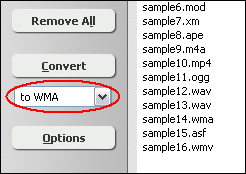
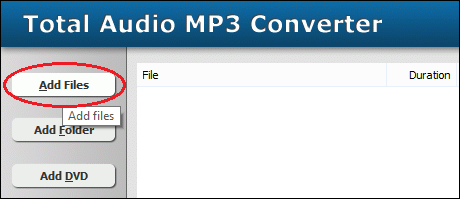 Click "Add Files" to choose XM files and add them to conversion list. 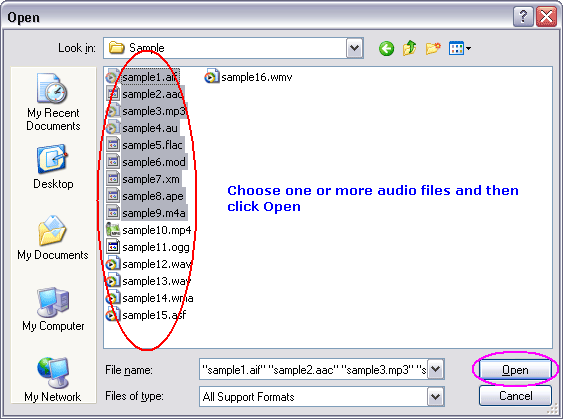 Choose one or more XM file(s) you want to convert and then click "Open". 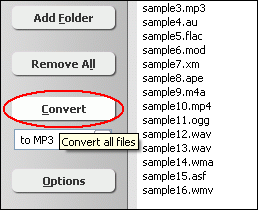 Click "Convert" to convert all XM files into WMA format. 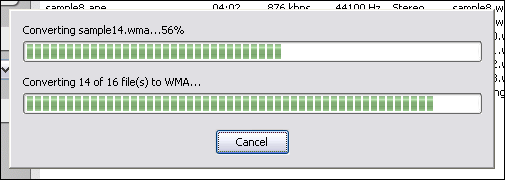 The software is converting XM files into WMA format. 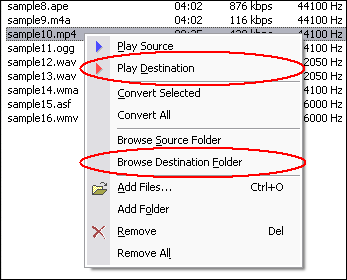 Right-click converted item and choose "Play Destination" to play the destination file, choose "Browse Destination Folder" to open Windows Explorer to browse the destination file. What is XM? What is WMA? A WMA file is in most circumstances encapsulated, or contained, in the Advanced Systems Format (ASF) container format, featuring a single audio track in one of following codecs: WMA, WMA Pro, WMA Lossless, or WMA Voice. These codecs are technically distinct and mutually incompatible. The ASF container format specifies how metadata about the file is to be encoded, similar to the ID3 tags used by MP3 files. Metadata may include song name, track number, artist name, and also audio normalization values. Convert XM to WMA Related Topics: WMV to WAV, ASF to MP3, AMR to WMA, AVI to WMA, FLV to WMA, MKV to WMA, MPEG to WMA, SWF to WMA, ASF to WMA, OGG to WMA, IT to WMA, S3M to WMA, AU to WMA, SND to WMA, AAC to WMA, CDA to WMA, FLAC to WMA, M4A to WMA
|


| Home | Getting Started | Download | Buy Now! | Screen Shots | FAQ | Support | Contact | Links |
| Copyright © 2007-2014 Hoo Technologies All rights reserved. Privacy Policy |